audio formats
MP3 vs WAV: quality, file size, and when it matters
If you have ever exported audio, you have met this fork in the road: MP3 or WAV. MP3 squeezes a three-minute song to about 3 MB; the same song as WAV is about 30 MB. That is not a conspiracy — the two formats have opposite goals. MP3 throws away the audio detail most listeners cannot hear; WAV stores the waveform exactly as sampled. The right answer depends entirely on what the file is for next.

What each format is for
WAV is a container for uncompressed PCM — literally the sequence of numbers the microphone captured. It is the editing format: every sample intact, trivial to process, no generation loss when you bounce, apply effects and bounce again. It is also the universal interchange format; any audio software on any platform opens a WAV.
MP3 is a perceptual codec. It models how human hearing works and discards masked detail — the sound a passing cymbal hides, the low rumble under a loud passage. At 128–192 kbps the result is, to most ears on most gear, indistinguishable from the original while being a tenth of the size.
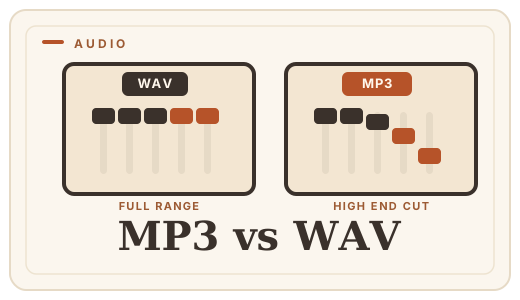
A concrete comparison
| MP3 | WAV | |
|---|---|---|
| File size | ~3–7 MB | ~30 MB |
| Compression | Lossy (perceptual) | None (PCM) |
| Editing generations | Degrades each save | No loss, ever |
| Playback anywhere | Yes | Yes (bigger) |
| Best for | Sharing, streaming, final | Editing, masters, archive |
When to use which
- Final file for a client, email, or a podcast platform → MP3 (192–320 kbps is plenty).
- Still editing, or sending to a mixing engineer → WAV, every time.
- Archiving a master you may remix later → WAV (or FLAC) — never an MP3.
- A phone recording or a sample you grabbed somewhere → check first; if it is already MP3, converting to WAV cannot restore what was discarded.
Converting without the drama
When a destination demands WAV and all you have is an MP3, or a form insists on MP3 and you have a WAV, convert it here (or WAV to MP3). It happens entirely in your browser — decoded by the Web Audio API, re-encoded by LAME on your device — so a private recording never leaves your machine.
Frequently asked questions
Is WAV better quality than MP3?
WAV stores the exact sample values, so it is technically perfect. MP3 discards inaudible detail, which is why the files are so much smaller. If you can hear the difference on your setup, your bitrate was too low — 256 kbps is a practical ceiling.
Does converting MP3 to WAV improve it?
No. Converting an MP3 to WAV makes a big, exact WAV of the MP3 you already have — the discarded detail stays discarded. It is only useful when the destination requires WAV.
Why is my WAV file so large?
Because it is uncompressed: about 10 MB per minute for stereo CD-quality audio. That is the price of exactness. If you need the fidelity but not the size, FLAC gives you lossless compression at roughly half the size.
What MP3 quality should I use?
128 kbps is fine for speech and casual listening; 192–320 kbps for music you care about. Optimal Convert defaults to 128 kbps and lets you raise it from the converter — see [WAV to MP3](/convert/wav-to-mp3).
Convert it
Each conversion runs in your browser — free, unlimited, and nothing is uploaded.
Share this guide
Ready-made social images for this post — sized for Facebook/Open Graph, Instagram and Pinterest. They match the card link previews show, and the same art is rendered locally for every format below.

Facebook · Open Graph
og:image — also LinkedIn, X and Slack previews
Download PNG
Instagram feed
square post · 1080px is Instagram’s native size
Download PNG
Pinterest pin
2:3 ratio · Pinterest’s recommended pin size
Download PNG